Know how you’re doing.
See total time and compare each run or station with your saved personal record and target.
Garmin Connect IQ apps
Real-time performance feedback, right on your wrist. RaceRox and RaceDeka help you keep track of your effort, timing, and progress during your event.
Find your appBuilt by athletes, to help athletes.
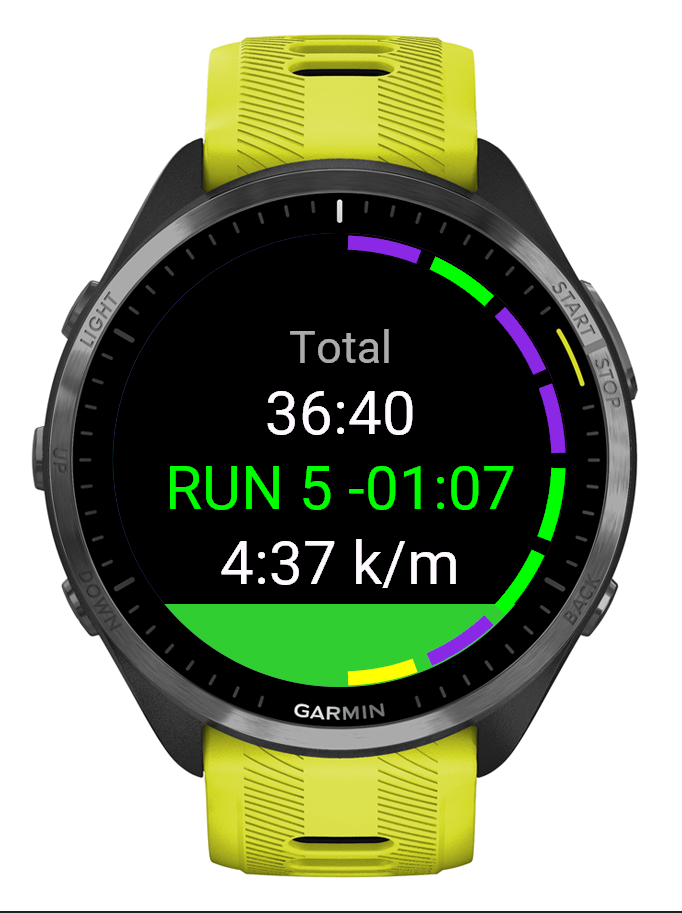
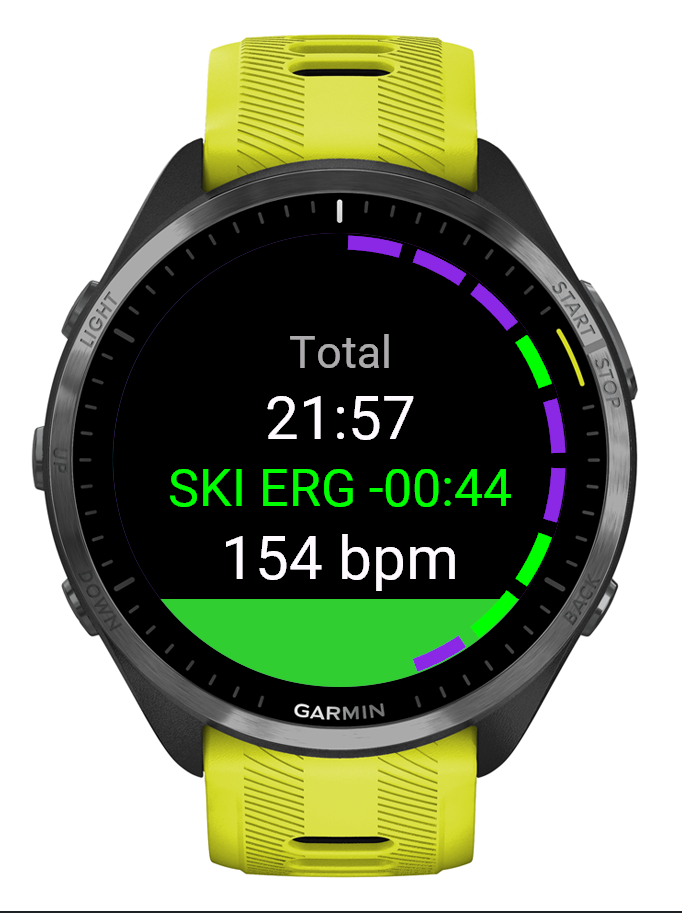
Garmin simulator views. Illustrative race data.
See total time and compare each run or station with your saved personal record and target.
Check heart-rate zones and estimated indoor run pace without switching screens.
A colored ring tracks completed segments. Review your splits when you finish.
Two apps. A shared purpose.
The same clear feedback,
with the format your race needs.
For HYROX
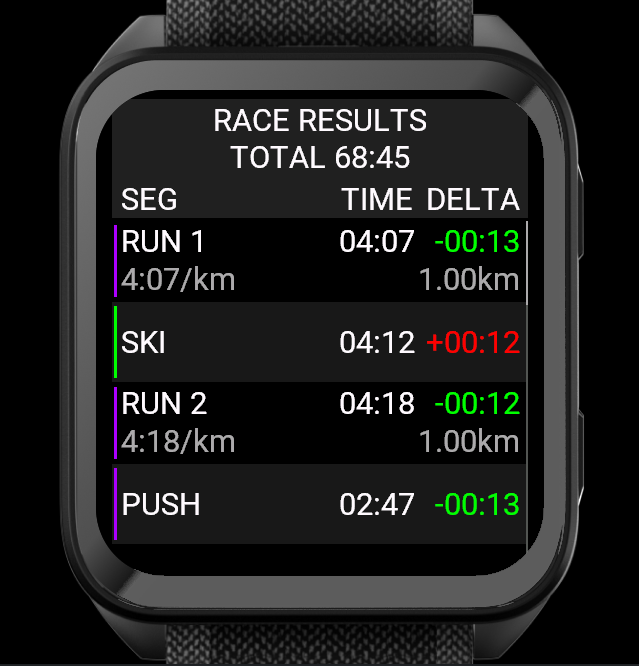
Follow all eight runs and eight stations with a 16-segment progress ring and individual split times.
For DEKA
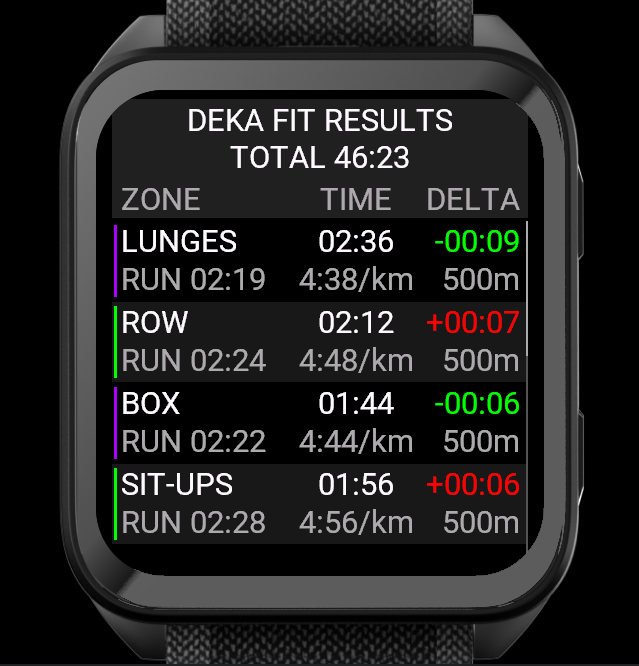
Track zones in DEKA FIT, MILE, STRONG, or ATLAS, with a progress ring that adapts to your format.
Before the start line
Set your personal records and targets in the app’s Garmin settings. For RaceDeka, choose your event format too.
Press Select/Start or tap to begin. Repeat at the end of each run or station to advance. Back undoes an accidental advance; at the first segment, it stops the race. Results open when you finish.
No. Run pace and distance are estimated from the watch’s motion sensors and your profile. Keep your height up to date in Garmin Connect. These are estimates, not official course measurements.
Both apps show scrollable results on your watch and record a FIT activity for syncing to Garmin Connect. RaceRox shows each run and station; RaceDeka groups results into ten zones with separate run details.
If settings won’t load in the mobile app, try Garmin Express on a computer. For help with either app or watch compatibility, contact support@racerox.com.
Why we build
When you’re in an event, feedback should be easy to read and useful in the moment. That’s the idea behind both apps.